Protecting a React App with HTTP Basic Auth on Cloudflare Workers
Published:
5 min read
Background
I wanted to deploy a React app on a free service with simple password protection—similar to what .htaccess provides on a PHP server. My goal was to add a username and password prompt before anyone could access the application.
The requirements were straightforward:
- Free hosting tier
- Simple authentication (no complex auth services)
- Minimal configuration
I didn’t want to use Next.js and Vercel for such a simple use case, so I decided to try Cloudflare, which offers a generous free tier for static hosting.
The setup is begin
The setup seemed straightforward: navigate to the Cloudflare dashboard, go to Workers & Pages, create an application, select your repository (I used GitLab), and wait for deployment to complete.
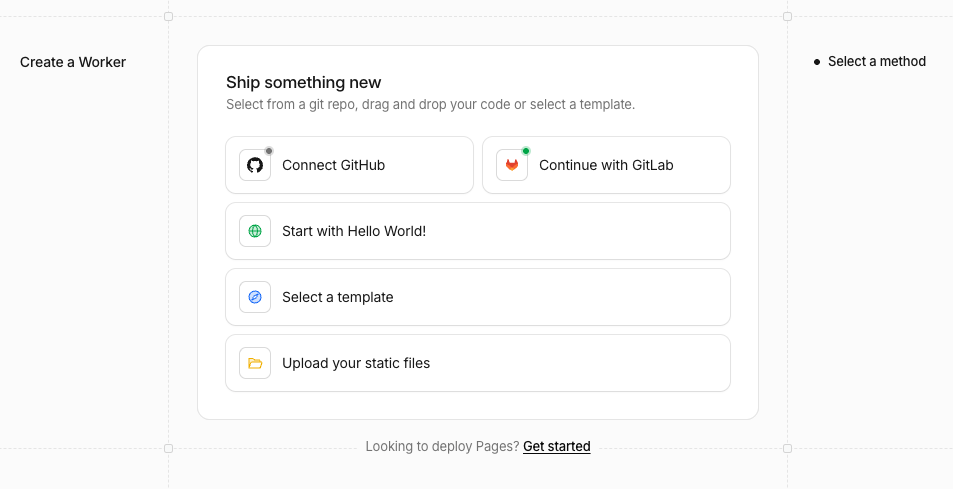
Everything worked fine, and the page was accessible—until I tried to set up authentication.
The stupid act is starting
Attempt 1: Create Function
What I did: Created functions/_middleware.js with basic Auth logic, file with Basic Auth logic and assumed it would automatically protect the app.
Why it didn’t work: At this point, I didn’t properly configure wrangler.toml and didn’t understand which Cloudflare product my project was actually deployed to.
Attempt 2: Move Functions to Public Directory
What I did: I moved functions/ to public/functions/ so the build process would include it.
Why it didn’t work: simply copied functions/_middleware.js as a static text file into dist/functions/, treating it like any other asset — never as executable code.
Attempt 3: Keep Functions at Root (finally realize)!
What I did: Moved functions/ back to the project root, following what I thought was the Cloudflare Pages convention.
Why it still didn’t work: Here’s the critical realization—the project was never connected to Cloudflare Pages in the first place. It was connected to Cloudflare Workers, a completely different product.
The key difference:
- Cloudflare Pages uses the
functions/directory convention (like.htaccessin PHP) - Cloudflare Workers requires explicit configuration in
wrangler.tomland aworker/entry point (like a custom PHPindex.php)
My bad, I did’t read the documentation :(
Root Cause: Wrong Product, Wrong Config
After investigation, I realized my wrangler.toml was incorrectly configured:
[assets]
directory = "./dist"
not_found_handling = "single-page-application"
The configuration was missing critical entries. Without them, Cloudflare wouldn’t execute the Workers, meaning there was no entry point for the authentication logic to run.
The Critical Missing Pieces:
- No
mainWorker script — there was nothing to execute. - No
run_worker_firstflag — even ifmainexisted, static assets would bypass the Worker code entirely by default.
Without these settings, the auth would never intercept requests, regardless where you put it.
The Solution: Proper Workers + Static Assets Config
Step 1: Create the Worker Entry Point
Created worker/index.js:
const EXPECTED_USER = "admin";
const EXPECTED_PASS = "supersecret123";

export default {
  async fetch(request, env) {
    const authHeader = request.headers.get("Authorization");

    if (authHeader) {
      const [type, value] = authHeader.split(" ");
      if (type === "Basic") {
        try {
          const [username, password] = atob(value).split(":");
          if (username === EXPECTED_USER && password === EXPECTED_PASS) {
            return env.ASSETS.fetch(request);
          }
        } catch (e) {}
      }
    }

    // ✗ No auth or wrong credentials → trigger browser prompt
    return new Response("Unauthorized Access", {
      status: 401,
      headers: {
        "WWW-Authenticate": 'Basic realm="Secure Area", charset="UTF-8"',
        "Content-Type": "text/plain",
      },
    });
  },
};
Step 2: Update wrangler.toml
Changed the config to:
name = "test-routing"
main = "worker/index.js"                    # ← Point to the Worker code
compatibility_date = "2025-01-01"           # ← Valid date (not future)

[assets]
directory = "./dist"                        # ← Built React app (from vite build)
binding = "ASSETS"                          # ← Expose as env.ASSETS
run_worker_first = true                     # ← CRITICAL: Run Worker before serving assets
Step 3: Cleanup
Deleted the unused functions/ directory—it was a Pages convention that had no effect on a Workers deployment.
Step 4: Local Testing
Ran wrangler dev --port 8799 to test locally: 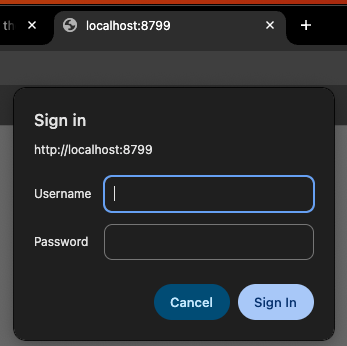
Step 5: Push and deploy
After verifying all authentication scenarios worked locally:
- Commit the changes to your repository
- Push to your Git remote (GitHub, GitLab, Bitbucket, etc.)
- Cloudflare automatically redeploys your Worker and static assets
No manual dashboard interaction needed—Git push triggers everything.
Final Directory Structure
project-root/
├── worker/
│   └── index.js              # Worker entry point with auth
├── src/                        # React source
├── public/                     # Static assets
├── dist/                       # Built React app (vite build output)
├── wrangler.toml              # Cloudflare config
└── package.json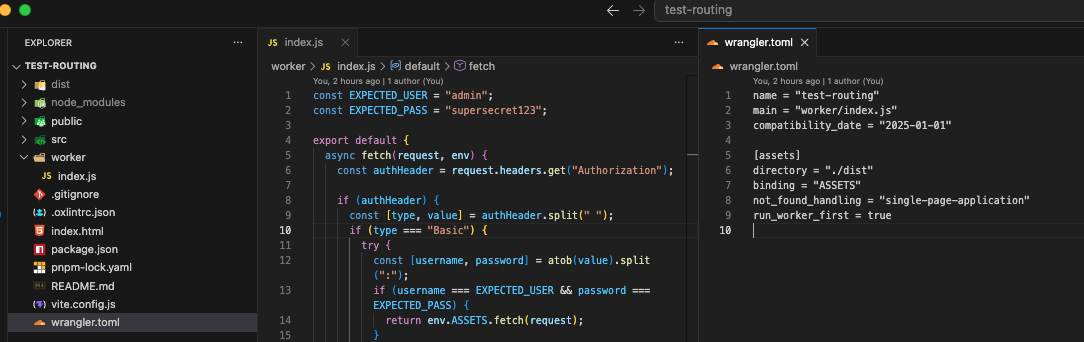
Security notes
The credentials are currently hardcoded:
const EXPECTED_USER = "admin";
const EXPECTED_PASS = "supersecret123";
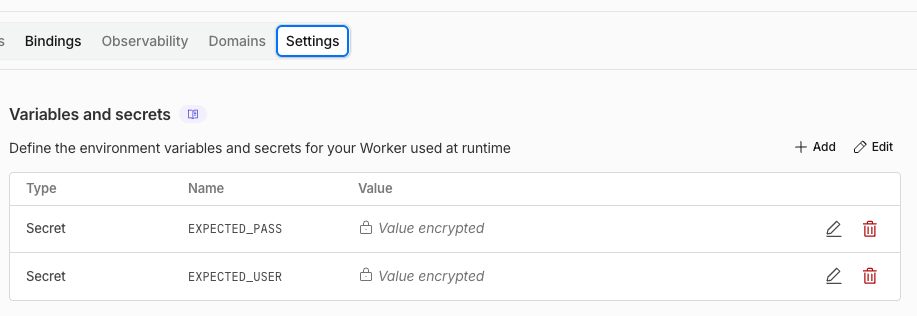
For production, move these to Cloudflare Workers Secrets (environment variables):
- In the Cloudflare dashboard, add Secrets:
EXPECTED_USERandEXPECTED_PASS - Update the code:
env.EXPECTED_USER;
env.EXPECTED_PASS;
This keeps credentials out of source control and makes them easy to rotate without code changes.
Key Learnings
1. Cloudflare Pages vs. Workers
- Pages: Managed static hosting with
functions/convention (like.htaccess) - Workers: Serverless compute platform with explicit
wrangler.tomlconfiguration (like a custom PHP entry point)
2. Static Assets Need run_worker_first
- Without this flag, assets bypass your code entirely for performance
- With it, every request goes through your Worker first, enabling auth gates
3. Basic Auth is Browser Native
- Return HTTP 401 +
WWW-Authenticateheader - Browser automatically displays the login dialog—no custom UI needed
Conclusion
Protecting a React app with HTTP Basic Auth on Cloudflare Workers is straightforward once you understand the platform. This is lightweight, free-tier friendly, and works without any external auth services or custom UI — just the browser’s native login dialog.